


Tigo-Live Video Chat&More
3.2210.00 Reviews
App Specs
- Version
- 3.4.1
- Updated On
- License
- Free
- Downloads
- 10,000,000+
- Developer
- Tigo Live Team
- Categories
- Social
- Platform
- Android
Screenshots

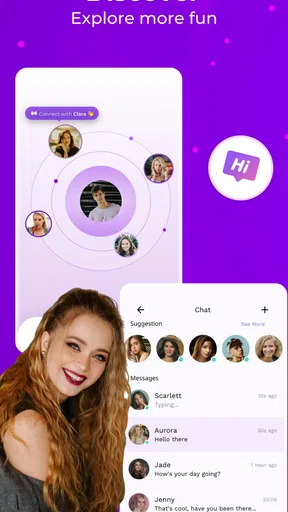

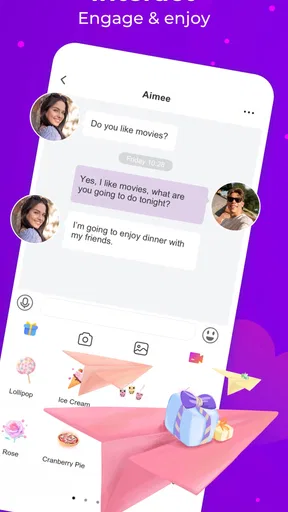

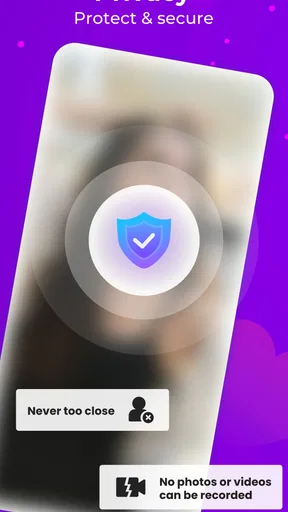
 Analysis by AppCompare
My first impression of Tigo-Live Video Chat&More was that it is less about maintaining a polished profile and more about stepping into a live social space where conversation can begin quickly. The central experience is live video chat: you can watch people interact in real time, decide whether a conversation feels comfortable, and move from passive viewing to direct contact when the moment seems right. That immediacy is the app’s strongest identity, but it also explains why it will not suit everyone.
I reviewed it as a social app from Tigo Live Team, and I found the experience most interesting when I treated it as a way to discover spontaneous conversations rather than as a replacement for a private messenger. It is free to install, although in-app purchases range from $0.99 to $199.99 per item. That difference matters because the basic barrier to trying the service is low, while the way you use it can still involve optional spending.
The app is rated for mature users aged 17 and over. I would take that seriously before installing it, especially on a shared family device or for a younger teenager who is curious about live broadcasting. Live interaction requires more judgment than ordinary text posting, because people are present at the same time and the social pressure to respond can be stronger.
Live video is the feature that changes the whole experience
Many social apps are built around posts, comments, short clips, or carefully edited messages. Tigo-Live takes a different route by putting real-time video and conversation at the center. That makes the app feel more immediate than a typical feed. Instead of waiting for someone to upload something and checking back later, I can enter a social setting where the appeal comes from what is happening now.
That immediacy has a practical effect: it lowers the distance between discovering a person and deciding whether I want to interact. A profile picture or written bio gives me limited information. A live room, by contrast, can reveal the tone of a conversation much faster. I can notice whether the host is relaxed, whether the chat is busy, and whether the atmosphere matches what I am looking for before committing much time.
The trade-off is that live video is less predictable. A recorded clip can be skipped, replayed, or viewed at a convenient pace. A live conversation moves on whether I am ready or not. If I open the app expecting a carefully organized catalog, I may find the experience more fluid and less controlled than familiar social networks. For me, that is part of the appeal, but it is also the first reason I would not recommend it to someone who dislikes spontaneous interaction.
The service also presents itself around a verified community. I see that as a useful signal rather than a guarantee that every interaction will be perfect. Verification can make a social environment feel more intentional, but I would still judge each conversation on its own. A badge or community label should not replace ordinary caution, particularly when a conversation shifts from casual chat toward personal details, emotional pressure, or requests for money.
Worth Reading Before You Choose

Flipboard Shows What News Apps Must Do Beyond the Feed

Switching to Android Auto Means Rethinking Your Driving Routine

Google Calendar Makes a Crowded Week Easier to Manage

Ludo King Makes the Most of the Minutes Between Plans

Baby Panda World Brings Quick Play to Modern Phones, but Its Game Library Feels Busy

ESPN’s Live Game View Makes Following Close Games Easier
One subtle strength of live video is that it can help people who struggle with the emptiness of a text-only feed. When I am tired of scrolling through posts that feel disconnected from the people behind them, a live exchange can feel more human. Even when I do not join a conversation, hearing natural speech and seeing reactions gives the social experience more context than a stream of isolated comments.
At the same time, I would not confuse activity with meaningful connection. A busy live space can be entertaining without producing a lasting friendship. The app works best when I use its live element as a starting point and keep my expectations realistic. It is good at creating opportunities for contact; it cannot decide which contacts are trustworthy or worthwhile for me.
What using it feels like in practice
The most useful way to approach Tigo-Live is to begin as an observer. I would spend a little time watching how conversations develop before speaking, sharing personal information, or spending anything. This simple habit makes the app easier to understand because it lets me compare different rooms and notice which ones have a welcoming rhythm instead of jumping into the first available interaction.
When I do participate, I prefer short, low-pressure exchanges at first. A brief greeting or a comment about the current conversation is safer and more natural than immediately trying to build a close connection. Live video can make people feel familiar quickly, but familiarity created by a few minutes on camera is not the same as knowing someone well.
The video-call side of the experience is most valuable when both people want a more direct conversation. I would use it for a focused chat rather than leaving it open in the background while doing other tasks. Camera-based interaction demands attention, and the quality of the conversation usually depends more on that attention than on how many people are available.
A realistic everyday example would be an evening when I have finished work but do not want the commitment of arranging a formal video call with friends. I might open the app, browse live conversations, and spend a few minutes in one that feels comfortable. If the exchange is enjoyable, I can continue; if it feels awkward, I can leave without having scheduled anything. That makes the app convenient for spontaneous social time, especially when my schedule is unpredictable.
There is another practical use for people who are new to live social apps: it can function as a low-stakes way to practice conversation. I can watch first, notice how people introduce topics, and then try a short contribution. This is not a substitute for professional support or a solution to serious loneliness, but the live format may feel more approachable than walking into a large public group with no sense of its tone.
I would also recommend deciding on a personal spending boundary before using the app regularly. Since optional purchases can become much more expensive than the free download suggests, setting a limit in advance is more reliable than making decisions in the middle of an exciting interaction. If I feel that a conversation is encouraging me to spend to prove interest, gain attention, or keep access to a social moment, I would step back rather than treating the purchase as part of the friendship.
Another tip is to separate discovery from commitment. I can enjoy browsing live content without following every person, moving every conversation into a private setting, or making the app part of my daily routine immediately. This helps me identify whether I genuinely like the community or whether I am simply responding to the novelty of real-time activity.
The situation where the app makes the most sense
Tigo-Live is at its best for someone who wants spontaneous social contact and prefers seeing people interact rather than reading a static feed. It is especially suitable for a user who enjoys brief conversations, live reactions, and the possibility that each visit will feel a little different. The lack of a fixed appointment is useful for people whose free time comes in short, irregular blocks.
I can imagine using it during a quiet break, after moving to a new city, or while looking for a more conversational alternative to endless scrolling. In each case, the value comes from immediacy. I do not need to prepare a post or wait for replies. I can sample the atmosphere, participate for a while, and leave when I have had enough.
The app may also appeal to people who find traditional social networks too performative. Edited photographs and carefully written updates can make online interaction feel like a display. Live video is not free from performance, but it exposes more of the natural pauses, reactions, and conversational flow that make interaction feel less polished. That can make it easier to decide whether I actually enjoy someone’s company.
Still, I would not choose it as my main tool for staying in touch with close friends who already know me. A conventional messenger is usually better for dependable private communication, sharing practical details, and returning to a conversation later. Tigo-Live is more compelling when discovery and spontaneity matter more than continuity.
It is also not the ideal choice for someone who wants a quiet, highly filtered experience. If I want to control exactly what appears, avoid unexpected conversations, or use social media without showing my face, a text-centered network or asynchronous community will probably be more comfortable. The live format is the feature that gives this app energy, but it is also the feature that reduces predictability.
Where the live format creates friction
The first limitation is emotional pace. Live video can make an interaction feel important before there has been enough time to evaluate it. A friendly conversation can become intense quickly, and the pressure to remain available may be stronger than in a normal comment thread. I found that the best defense is to keep early conversations light and remember that leaving is always a reasonable option.
Privacy requires similar care. I would avoid revealing my address, workplace details, travel plans, financial information, or anything that could identify my routine. I would also be cautious about moving to another communication channel simply because someone seems charming on camera. The social setting may feel informal, but the consequences of oversharing are not informal.
The mature age rating is another important trade-off. Adults may appreciate a less child-oriented environment, but the rating also means parents should not treat the app as a harmless entertainment platform. I would not install it for a child, and I would discuss boundaries with any older teenager who is considering it. Live interaction needs more active supervision and personal judgment than ordinary offline games or general-interest video apps.
Spending is the other obvious point of friction. The free entry makes experimentation easy, but the available purchase range means the financial side deserves attention. I would use the app without buying anything first and ask whether the free experience already provides enough value. If it does not, spending more is unlikely to solve the underlying problem of not finding the right conversations.
Compared with a familiar social feed, this app may also feel less efficient when my goal is information rather than connection. A feed lets me scan many updates quickly and return to them later. Live video asks me to be present, and the useful moment may pass while I am deciding what to watch. That is a fair exchange for immediacy, but it means the app is not a universal replacement for every kind of online socializing.
The published average is 3.2 from around 46 thousand ratings, while the app has passed 10 million installs. I read that combination as evidence of broad curiosity but mixed satisfaction, not as a reason to dismiss the service. Live social products can work very differently for different users because the quality depends heavily on the people and conversations available at the time of use.
Who is likely to get the most from it
I would recommend Tigo-Live to adults who enjoy real-time conversation, can handle unpredictable social situations, and are comfortable setting firm boundaries. It is a good fit if I want to browse live interactions, join a conversation without arranging it in advance, and decide for myself how much contact feels worthwhile.
The app is less suitable for someone looking for a private messaging replacement, a carefully moderated professional community, or a guaranteed way to make close friends. It is also a poor match for anyone who is easily pressured into purchases or who finds camera-based interaction stressful. In those cases, a conventional messenger, a text-based community, or a slower social platform would offer better control.
For a first session, I would keep the goal modest: explore the live spaces, observe the community, try one short conversation, and leave before fatigue turns curiosity into obligation. I would avoid purchases until I understood what the free experience could and could not do. That workflow gives me a clearer answer than judging the app after only a few seconds or assuming that a high number of installs guarantees a personal connection.
The current version is 3.4.1 and it requires Android 6.0 or later, so compatibility is straightforward for many Android users with older devices. I would still expect the smoothness of live video to depend on the phone and connection being used. For an iOS user, the sensible step is to check the relevant App Store entry before installing, particularly if the device is older or storage is limited.
Tigo-Live was released on January 29, 2021, and the developer behind it is Tigo Live Team. Those details matter less to my day-to-day opinion than the actual social experience, but they place the app in the established live-chat category rather than making it feel like a simple one-purpose video-calling utility.
My recommendation after using the core experience
I see Tigo-Live as a focused social experiment built around the feeling of being present with other people right now. Its best quality is not the promise of endless content; it is the chance to find a conversation that feels natural without planning the interaction in advance. When that happens, the live format feels more engaging than scrolling through disconnected posts.
That strength comes with responsibilities. I need to manage my privacy, recognize that live chemistry can be temporary, and keep optional spending under control. I also need to accept that some visits may be quiet, awkward, or simply uninteresting. The app cannot guarantee that every live room will match my mood, and the mature rating makes careful use especially important.
My final view is cautiously positive for the right audience. I would recommend trying it if spontaneous video conversation is exactly what I want, beginning as an observer and treating the free access as a test rather than a promise. I would choose another social app if I wanted predictable private messaging, long-form community discussion, or strict control over what I see.
The real value is the live connection, not the size of the catalog. If I enjoy discovering people in the moment and can keep sensible boundaries, this app offers a distinctive way to spend a few unscheduled minutes. If I need certainty, privacy by default, or a social space that stays useful without active attention, its central feature becomes a limitation instead of an advantage.
Pros
- Simple interface makes it easy to start video chats quickly.
- Supports private conversations with friends and new contacts.
- Useful messaging features complement live video interactions.
- Works well for casual socializing and meeting people online.
- Notifications help you stay updated on incoming messages and calls.
Cons
- Requires a stable internet connection for smooth video quality.
- Video calls may consume significant mobile data and battery.
- Some features or interactions may require in-app purchases.
- Privacy settings should be reviewed carefully before meeting strangers.
- The experience can vary depending on device performance and network speed.
FAQs for Tigo-Live Video Chat&More
What is Tigo-Live Video Chat&More, and what can I do with it?
Tigo-Live Video Chat&More is a social communication app focused on meeting people through live video, one-to-one conversations, and interactive chat features. During testing, the app felt designed for users who enjoy spontaneous social discovery rather than traditional messaging alone. Depending on your region and account status, you may be able to browse profiles, start video chats, send messages, and interact with live content.
Is Tigo-Live Video Chat&More free to download and use?
The app can generally be downloaded without an upfront charge, but some features may require in-app purchases, virtual coins, subscriptions, or other paid options. Video interactions and premium communication tools can consume credits, so it is important to review the pricing information before starting conversations. Costs, available features, and payment methods may differ between Android, iOS, and different countries.
Do I need to create an account to use Tigo-Live Video Chat&More?
Most of the app’s meaningful features require registration or sign-in. Creating an account may allow you to build a profile, receive recommendations, communicate with other users, and keep access to your activity across sessions. Before registering, check which information is requested and review the privacy policy. Avoid sharing sensitive personal details with strangers, even when a profile appears trustworthy.
Is Tigo-Live Video Chat&More safe for everyone?
Because the app connects you with other users through live communication, it may include conversations or behavior that are not suitable for children. Adults should use the available blocking, reporting, and privacy controls and remain cautious when accepting messages or video calls. Never share passwords, financial information, precise location details, or private images, and report suspicious or abusive behavior through the app.
What should I check before downloading Tigo-Live Video Chat&More?
Before installing Tigo-Live Video Chat&More, check that your Android or iPhone meets the current system requirements and that you have a reliable internet connection, since video chat can use considerable mobile data. Also review recent user feedback, permissions, privacy terms, subscription details, and regional availability. If you plan to use video regularly, Wi-Fi and headphones can improve stability and call quality.


